
The AI menu contains Ai Prompt, Ai Provider, Ai Log, Phone Line and Ai Notebook. Restrict configuration changes to staff responsible for the hotel's assistant and integrations. Phone logs can contain personal information and require their own access permissions.
Configure a phone line
- Open AI → Phone Line and choose New.
- Enter Name, Number in international format and Hotel.
- Select Voice Prompt and Backend Prompt. Review the voice override and Max Call Seconds.
- Configure Greeting and, optionally, Recognized Caller Greeting.
- Review Phone log retention days, transfer settings and message routes. Leave optional capabilities off until their prerequisites have been checked.
- Choose Save.
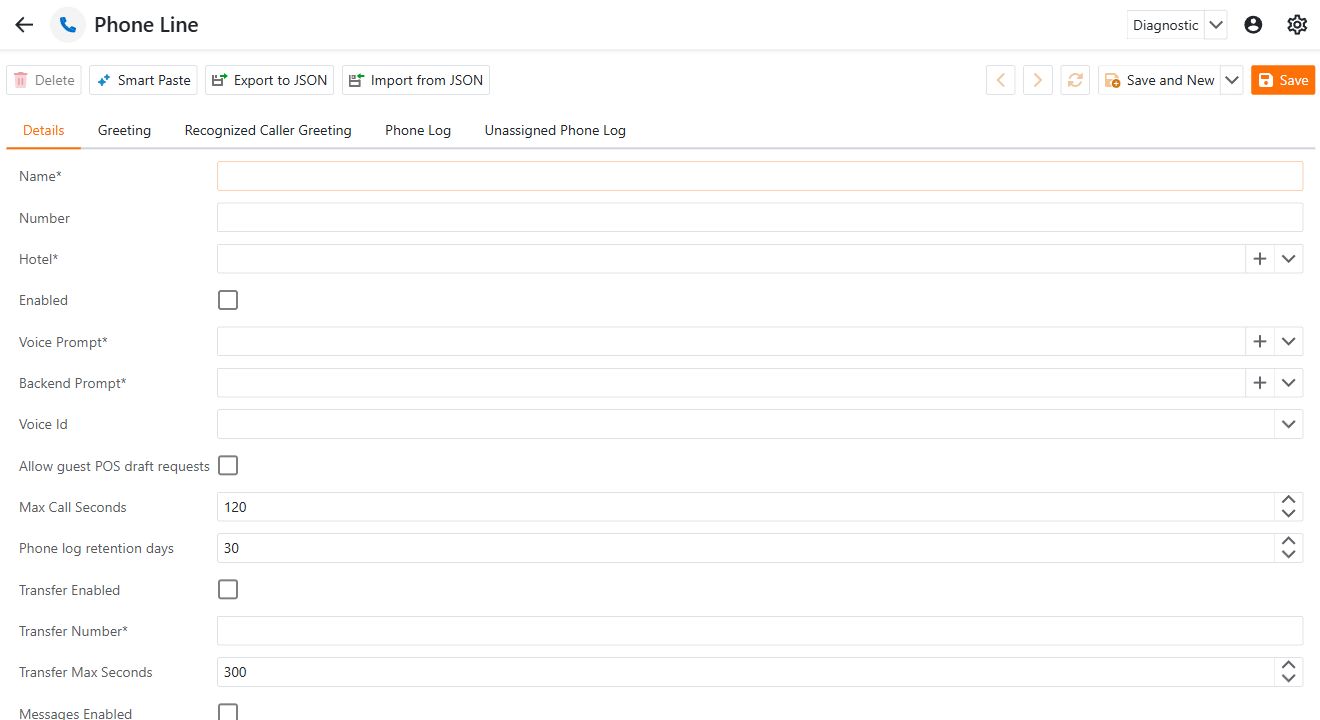
Saving or selecting Enabled does not establish that public calls are routed to the line. The deployment administrator must configure inbound routing and scoped service access and verify a real call, including two-way audio. The supported public listener at this release is limited to one configured line and one concurrent call per API instance.
Allow guest POS draft requests permits draft requests within the configured workflow; a draft is not a paid or finalized order. Transfer Enabled needs a valid staff destination and routing configuration. Message routes need approved recipients and, for WhatsApp, the appropriate template and recorded opt-in.
Greetings and recognition
When a recognized-caller greeting is blank, callers receive the general greeting. Personalization can use {hotel_name}, {guest_surname}, {time_of_day}, {salutation}, {preferred_language} and {country}. Language/country values may be empty; write the greeting so missing values still make sense.
Caller ID is a recognition hint, not identity verification. A greeting should tentatively check the name and disclose the AI assistant. Do not disclose private reservation details solely because a caller's number matched a guest.
Review call history
The line's Phone Log tab shows its retained calls. Unassigned Phone Log is a read-only fallback for older calls without a line. Guest and reservation records can also show their linked calls.
The archive contains transcripts and related call events, not an audio recording. Incomplete or In progress records may lack the end of the conversation. Even a completed archive does not prove the caller heard audio correctly. Live diagnostics enabled can assist an authorized investigation; disable it afterward.
Retention
Phone log retention days defaults to 30 and accepts 1–3650. An hourly cleanup physically removes expired calls and their associated content; it does not delete guests or reservations. Cleanup happens on the next successful job run, and database backup retention is separate.
Disable a line with retained logs rather than deleting it. Review the retention policy before reducing the number of days because removed call content cannot be recovered through the normal phone-log view.
Provider credentials, routing secrets and deployment settings belong to the responsible integration administrator. This guide does not include those values or the hotel's private prompt content.