
Use Reservations for front-office work. Guest holds guest contact details; Reservation List holds bookings. Reservation Calendar and Room Availability provide alternative views of bookings and availability. Your role determines which records and actions you can use.
Create a guest
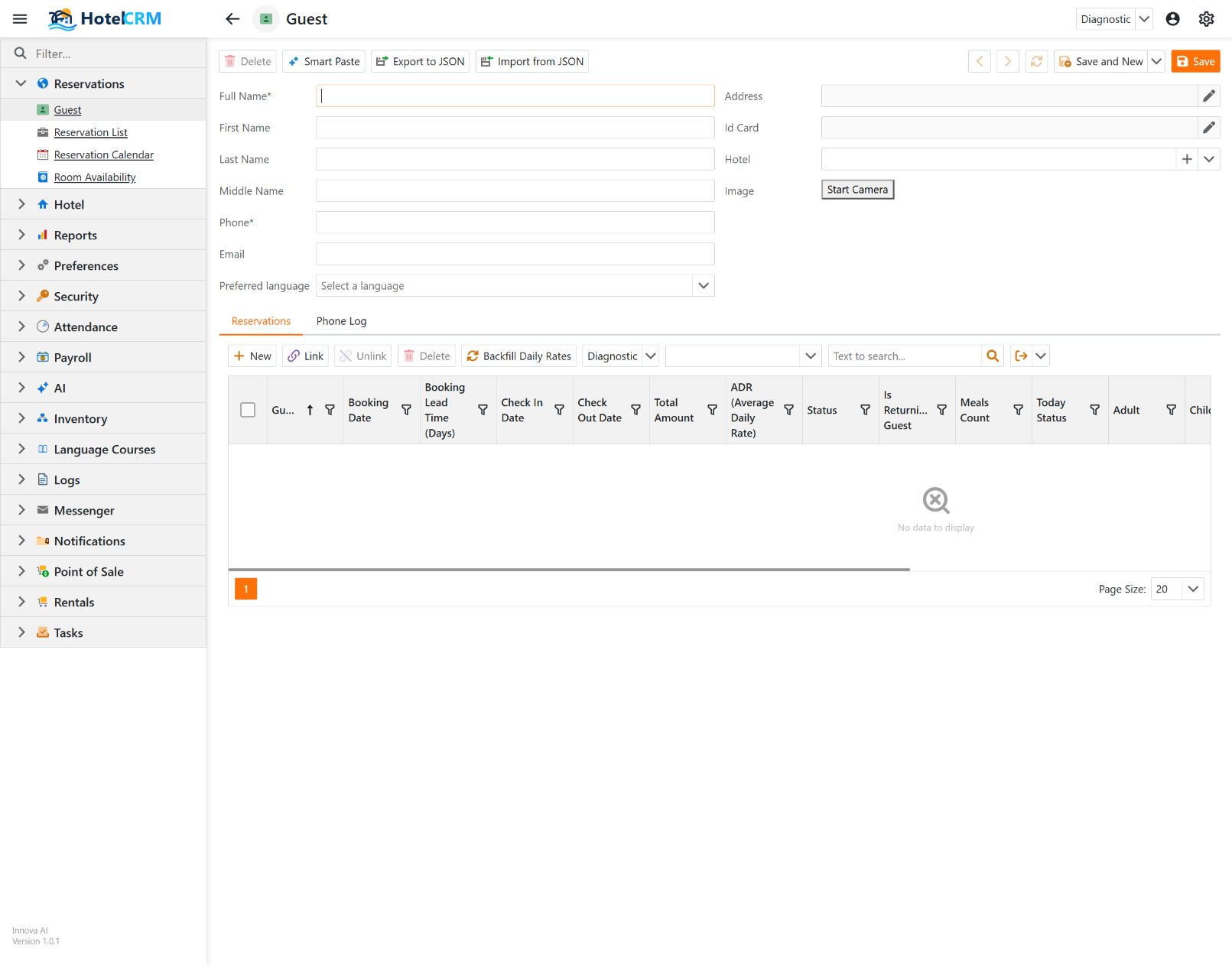
- Open Reservations → Guest and choose New.
- Enter Full Name and Phone, both marked as required. Add the name components, email and preferred language when known.
- Use Address and Id Card only when your hotel's registration process requires them. Review Hotel, which records the guest's hotel/import provenance rather than their current stay.
- Choose Save to keep the record, or Save and New to keep it and open another blank guest.
Avoid duplicate guest records: search the list before creating a new guest. A preferred language helps staff and the phone assistant address the guest; recognizing a phone number does not verify identity.
Create a reservation
- Open Reservations → Reservation List and choose New.
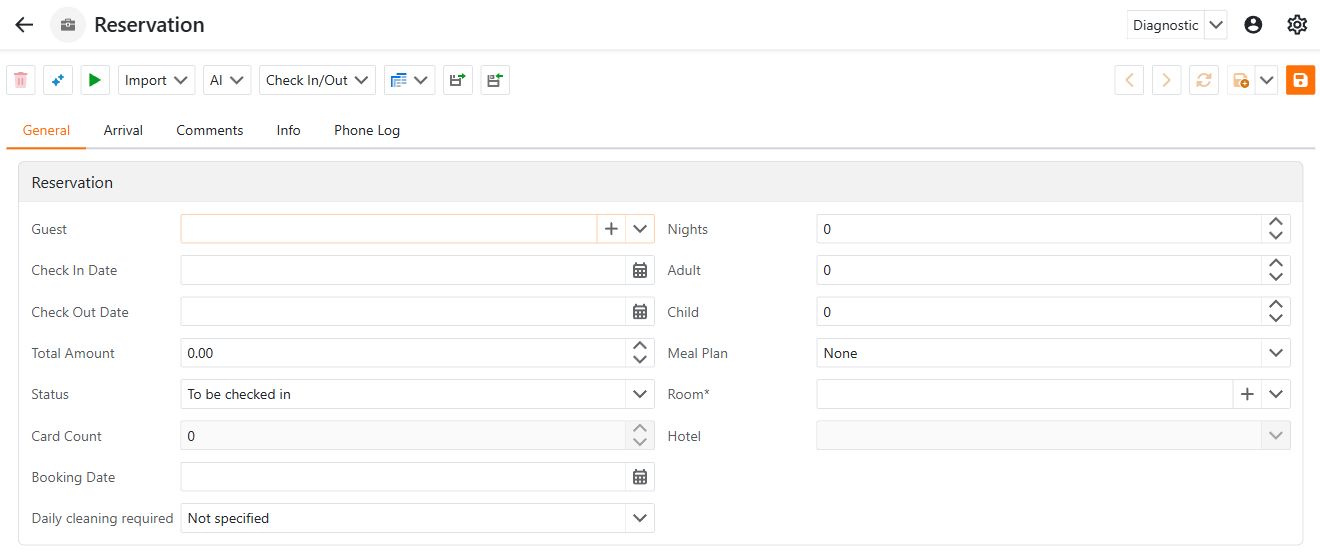
- Choose the Guest. The adjacent + opens creation of a related record.
- Choose Room, which is required. Hotel comes from the room and is not an independent selection.
- Enter Check In Date, Check Out Date, guest counts, Meal Plan and the booking's Total Amount. Review Daily cleaning required and the booking date.
- Review the Arrival, Comments and Info tabs, then choose Save.
Use Per Day Rates for daily rate information and Room Charges and Orders to inspect charges associated with the stay. Issued Cards tracks associated cards; Phone Log and User Event Log provide context. A saved booking is not a completed check-in.
Check in and check out
Open the reservation and use Check In/Out → Check-In. Follow the dialog and review date or room-cleanliness warnings before confirming. Check-in records the arrival, sets the reservation to a staying status and makes its room occupied.
Use Check In/Out → Check out when the stay ends. Resolve unsettled charges and outstanding cards or rental items when prompted; early departure can also require review. Check-out clears the room's current reservation and makes it vacant and dirty. It does not by itself guarantee that a cleaning task has been created.
Check in by ID card and Check Out with Key Card depend on your hotel's card workflow and equipment. Use the ordinary check-in/out action when that equipment is unavailable. Debug actions are not part of the front-office workflow.
Extend a stay
Use Check In/Out → Extend and review the new departure date and comment. Check room availability and pricing before committing: changing the departure date is not proof that charges, card validity or housekeeping work have all been adjusted.
Imported bookings and corrections
The Import menu provides reservation update/import actions. Before re-importing a booking, check its external identifiers and the import log. A missing booking can be an import or mapping problem, rather than a reason to create a second booking manually. See channel manager integration.
If an action is disabled, confirm the record is saved, select the intended reservation and check your permissions. When validation prevents saving, correct the named fields and retry. Leave the form without saving to discard an unused blank record.